Ninety seconds to a skill map.
A scan is how Omie meets you. A short set of questions, a reveal that reads like it knows you, and a personal skill map that decides what you learn first. Try one in the browser, no signup.
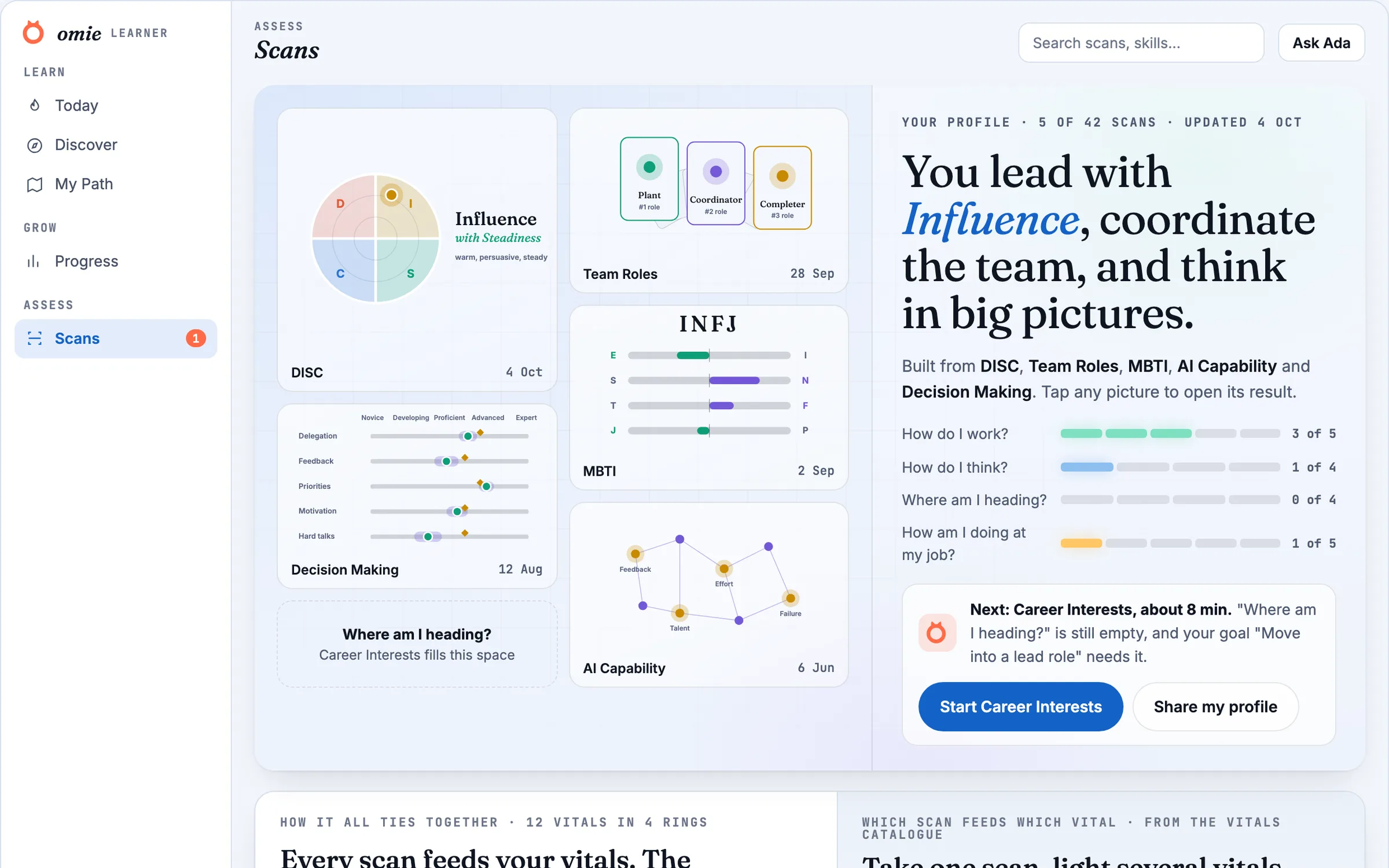
Ninety seconds to meet yourself.
Play a scan and watch your profile draw itself, right in the browser.
A scan for the question you are actually asking
How do I learn best? How do I come across? What should I do next? The scan library covers learning style, communication and behaviour, interests, mindset and judgment, each built on a proven public-domain instrument.
- Learning and communication style. How you take things in and how you land on others.
- Personality and interests. IPIP Big Five and RIASEC, the established models.
- Mindset and judgment. Growth mindset, emotional intelligence, situational judgment.
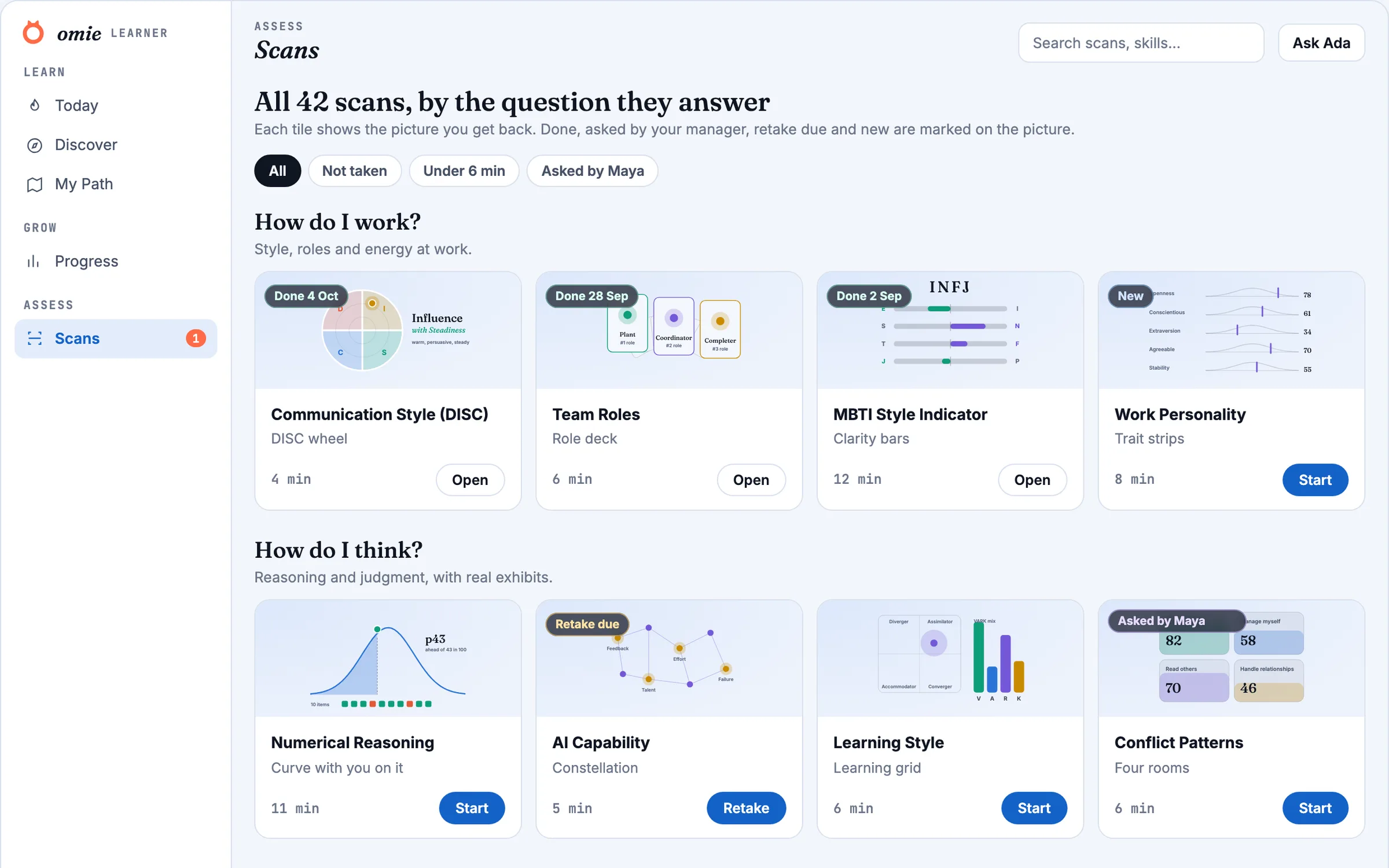
Feels like a game, scores like an instrument
One question at a time, quick taps, a progress bar that respects your patience. Behind the friendly surface, answers are scored against the underlying instrument, so the result is a real reading, not a horoscope.
- Minutes, not an afternoon. Most scans finish in under ten minutes.
- One item at a time. Focused questions, no wall-of-form fatigue.
- Validated scoring. The friendly UI sits on cited psychometrics.
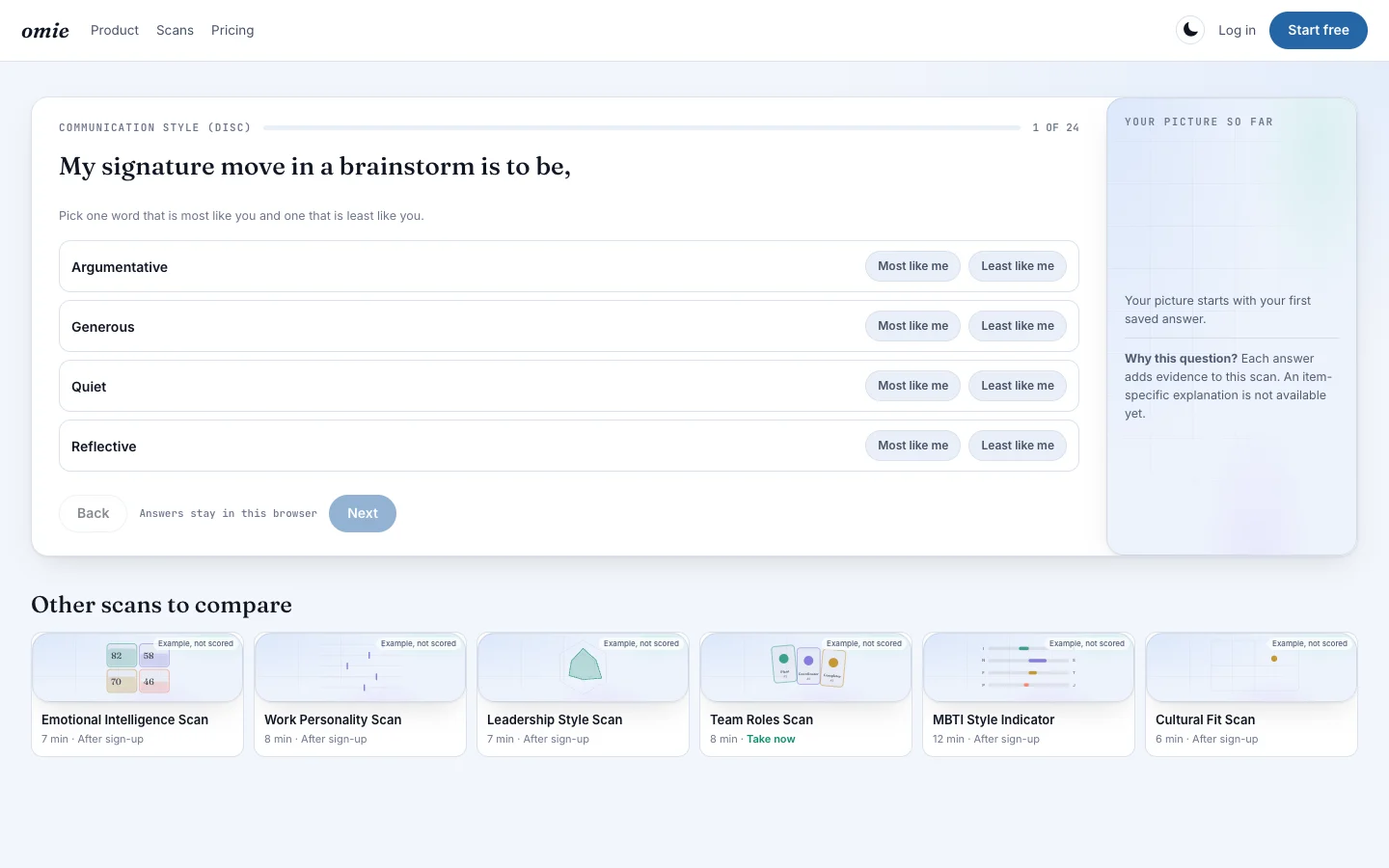
Your map, in three taps
This one is not a mockup on autoplay. Answer three real questions and watch your radar draw itself.
We'll start you on Day 1 of System Design with applied lessons, code-first.
Your full profile is one scan away.
The playable Learning Scan runs free in the browser. Keep the result and it becomes day one of your path.
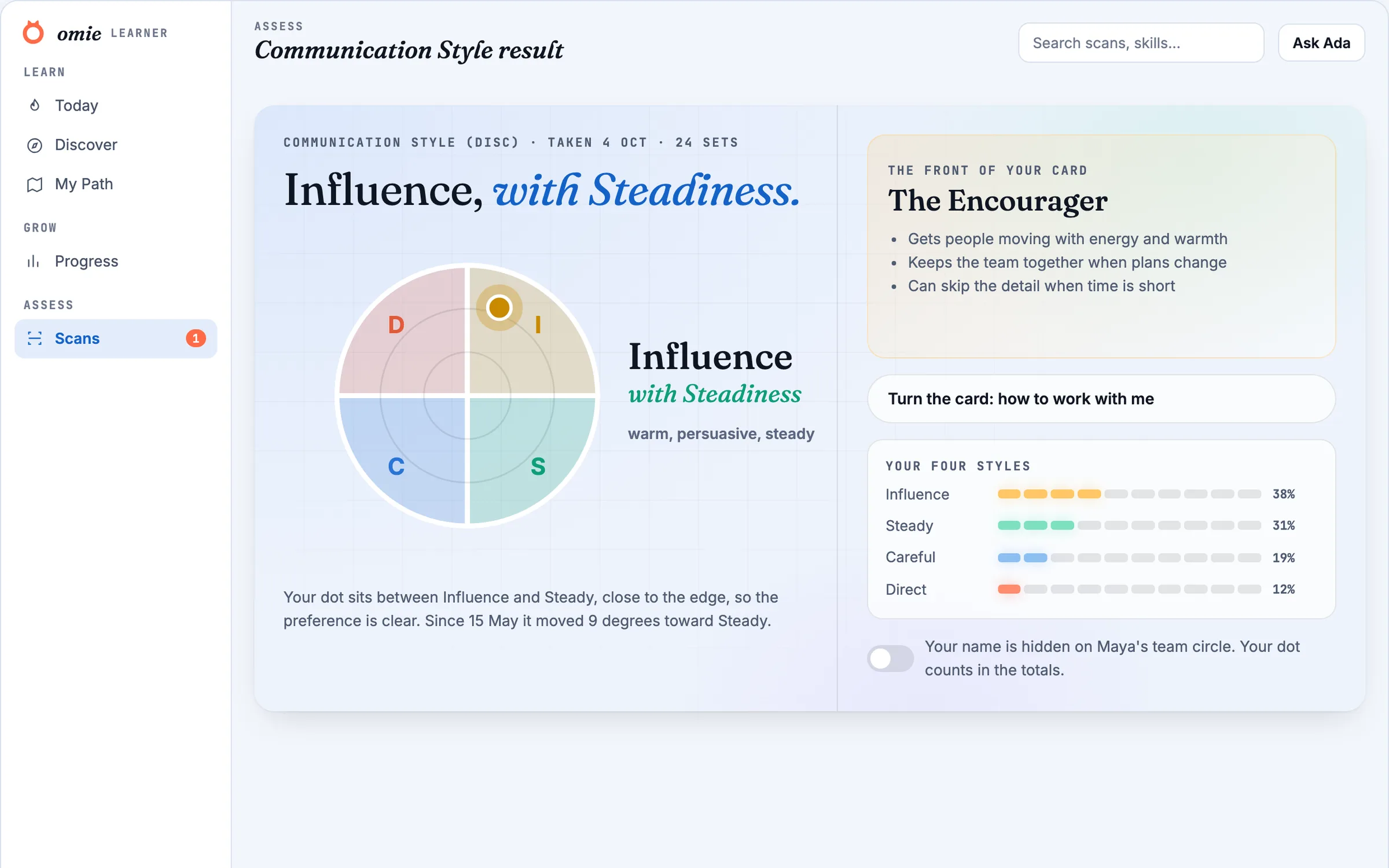
A result people screenshot
The reveal names your profile, shows trait bands, and calls out strengths and growth edges in plain language. It ends with a recommended path, so the insight turns into practice the same day.
- An archetype in plain words. The headline result, understood in a minute.
- Strengths and growth edges. What to lean on, what to work on.
- A path, queued. The scan routes straight into lessons.
360s and team patterns, not just self-view
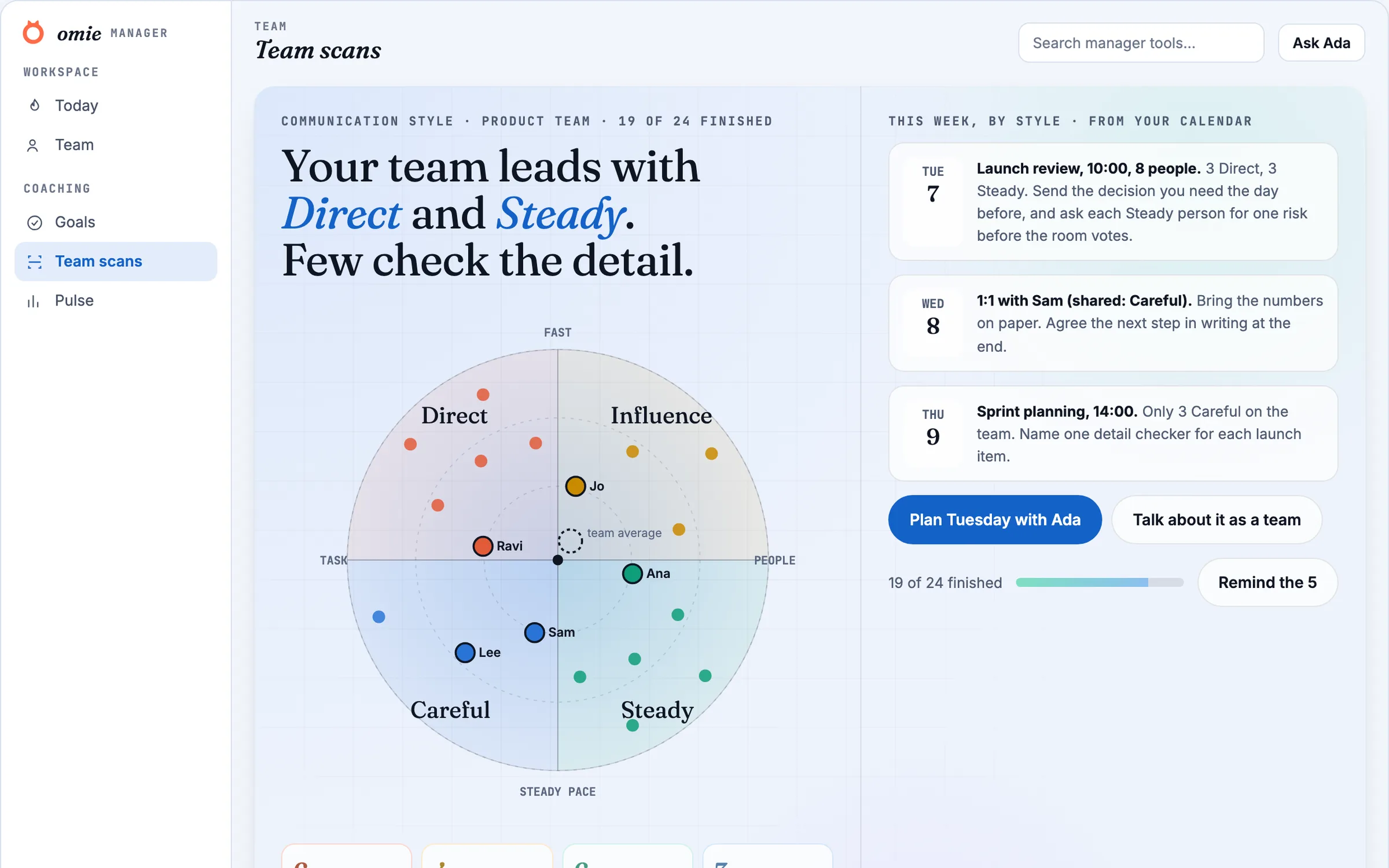
On Business, managers can run team scans and 360s. Raters weigh in, results combine self-view with how others experience the same person, and rollups show the patterns across a team.
- 360 feedback. Invite raters; the result blends self and others.
- Team rollups. Behaviour and skill patterns across the team.
- Unlimited on Business. Scans for the whole team, whenever needed.
Scans that speak your skill matrix
Scans plug into the same taxonomy as your role expectations, so a result is never a novelty. It lands on the skill matrix, moves the gap boards, checks against the expected band for the role, and feeds Ada and the recommender the moment it scores.
- Expectations aware. Results compare against the band your org set for the role.
- Gaps move. Every scored scan updates the gap and matrix boards.
- Ada and the feed react. The next lesson and the coach both read the result.
One profile, built scan by scan
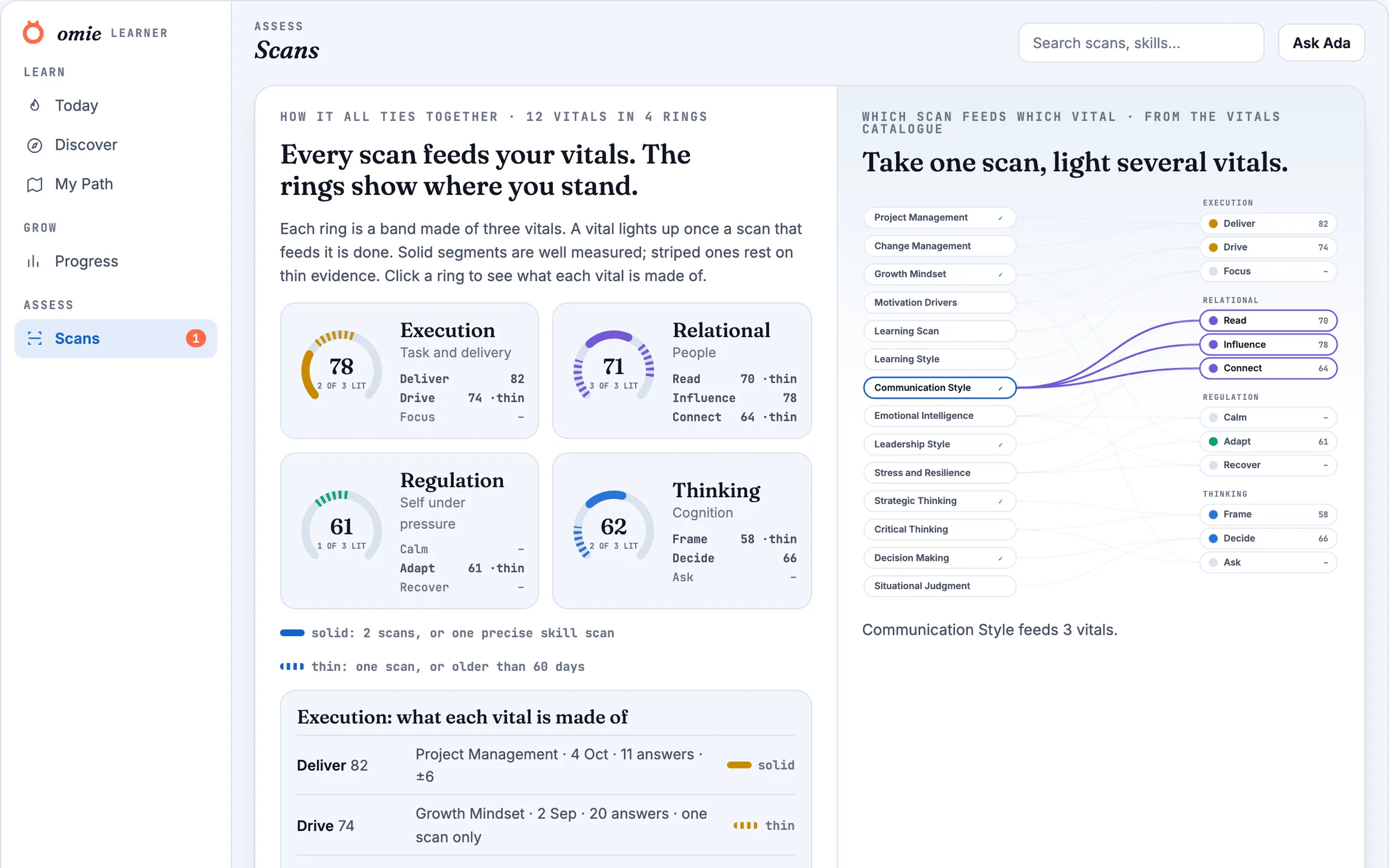
Every scan you take adds to one profile: personal traits, 360 peer feedback, career readiness, decision style and growth, all feeding the same engine.
- Each scan adds a tile. Six families, each with its own picture.
- Peer views stay anonymous. A 360 shows only when three or more people answered.
- Everything feeds the engine. Ada and the recommender read the same profile.
Each scan family gets its own result picture.
Real people. Real outcomes.
“ I practise a discovery frame before every big call. My win rate is up and I did not sit through a single seminar. ”
Illustrative voices from common situations, not named customers. Numbers shown are modeled examples.
Play one right now
The Learning Scan runs in your browser. No card, no email.
Open the playable scan
It runs right on the page, nothing to install.
Answer a handful of questions
About how you learn, focus and take in new material.
Watch your map draw itself
A live skill constellation built from your answers.
Keep it
Sign up free and the map becomes day one of your path.
“Your 2/7 on delegation isn't a dead end. Start here, then this. I've drafted the path.”
Ada turns every scan result into a real path from your gaps.
Meet Ada →omie/ scan, in numbers.
On real Omie screens. Product facts are marked; examples say so.
Four rings, twelve vitals: every scan you take lights some of them. Demo profile from the approved scans design.
Every module feeds the next one.
Meet the scan that starts everything.
Ninety seconds in the browser. Your map, your path, your first lesson.
No card, no email. Signup only if you want to keep it.